


The AI assistant had its personality stripped in pursuit of a more consistent experience.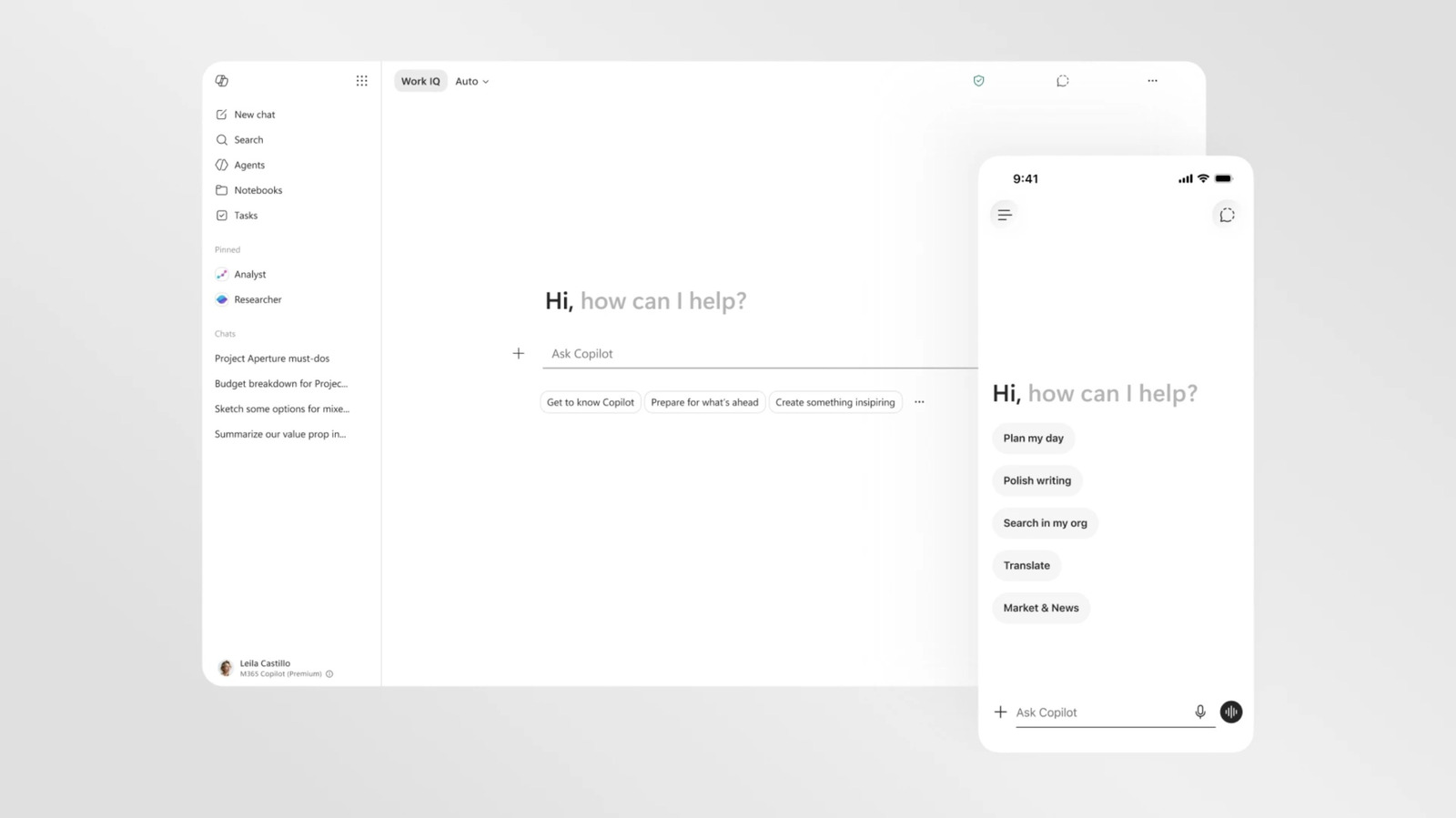
Copilot is getting yet another visual overhaul as Microsoft reconsiders its approach to AI across Windows and its various apps. The new changes are focused on the version of Copilot accessible in Microsoft 365, and visually streamline the AI assistant to using it more consistent across apps like Word, PowerPoint and Excel.
The most striking difference in Copilot’s new look is how little color it has. You can still get Copilot to produce full-color outputs and it will reference other apps by their colorful app icons. By default, though, the Copilot interface is now a largely black and white, text-forward affair. Part of this change was driven by a desire to make everything more readable and responsive, but Microsoft suggests it’s also reflective of an attempt to “craft intelligence that feels present but not imposing.”
Microsoft has introduced a new design for Copilot
— Andreas Storm
That approach also applies to the tweaks Microsoft querying the AI assistant itself. The Microsoft 365 Copilot app and the Copilot experience in Microsoft apps feature a new “prompt surface” that changes size and reveals new functions as you type. You can input a purely text-based request to Copilot and it will answer, but if you refer to the AI assistant’s other skills, like the ability to research or visualize, the text box will unfurl menu options for selecting files or guiding Copilot’s visual responses. The app’s new side panels and menus, which collapse when not in use, are another example of this approach. Importantly, these changes also apply to how Copilot appears in apps like Word. The AI is now available in a consistent location across all Microsoft 365 apps — a side pane — and works similarly to the standalone Copilot app.
The only wrinkle to Microsoft’s Copilot redesign is that, at least for now, it’s limited to the company’s productivity software. The more consumer-friendly Copilot that was introduced in 2024 and lives in Microsoft’s mobile app is still bright, colorful and (occasionally) blobby. It’s possible this more buttoned-up look will make the jump to other versions of Copilot at some point, but that may depend on where Microsoft’s AI plans land.
The company has committed to being more thoughtful about where Copilot and AI features appear in Windows 11 and even started pulling Copilot out of certain apps. It’s also changing what AI models it uses. After being an early investor in OpenAI and a beneficiary of its GPT models, the two companies have redefined their partnership. Microsoft has now started rolling out its own in-house AI models and investing in other AI companies. A visual redesign isn’t a fix for the issues Windows users had with Copilot, but it does seem like a sign that Microsoft’s AI strategy is very much in flux.

