


The Adobe Express app’s generative AI features are officially out of beta today. Now, everyone can access the company’s Firefly generative AI engine on iOS and Android. This version of Adobe Express is a pared-down version of the desktop app. Most of what you can make on it is for sharing on social media. Most of what I want to do with it is to troll my social media following.
You can sample Adobe’s AI engines through the app’s core features. They include text-to-image generation, generative fill for adding objects and editing images, and generative text effects. You can also conceive a flyer or graphic template from a text prompt, like “karaoke birthday party.” Adobe Express will offer several editable templates. Once you select one, you can edit and tweak it as you like.
There are practical features, too. There is the ability to generate dynamic captions, which I like as a solution for making my short video clips and the memes I’m attempting to make understandable, even with no volume. You can also create a cheeky animation from up to two minutes of audio, which could be a creative vehicle for promoting, for instance, an audio snippet from a podcast appearance.
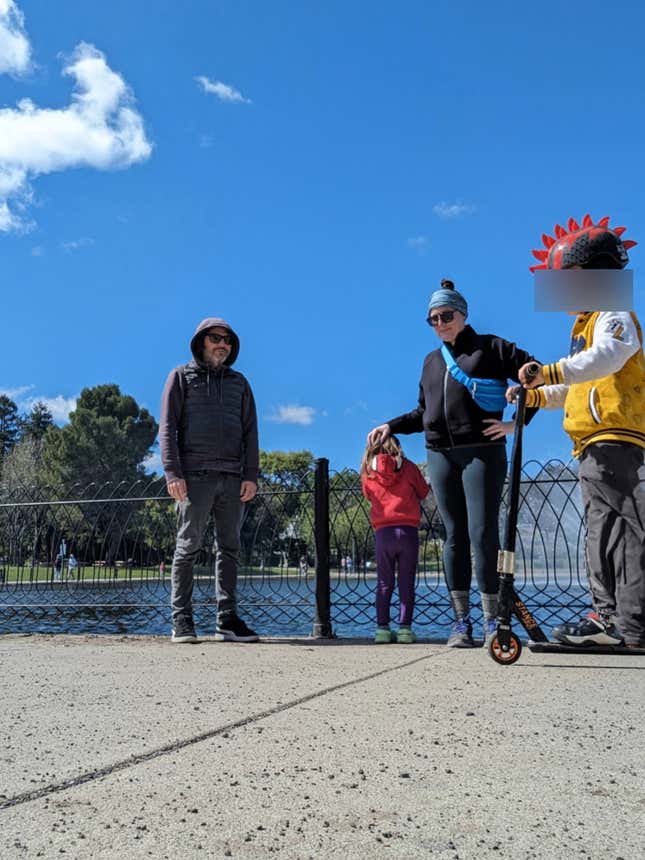
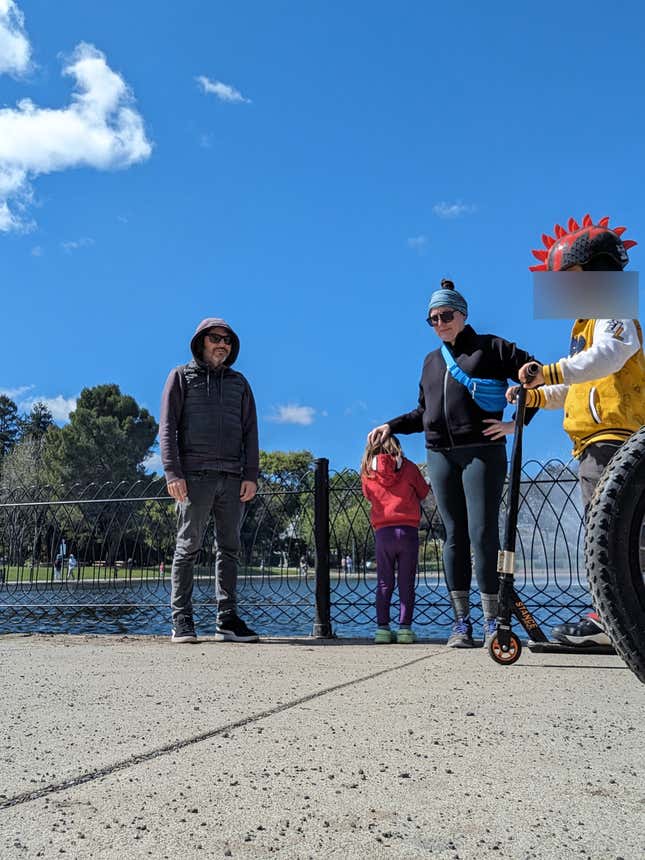
Now you see the tire, now you don’t. But you also see the poor scooter kid’s leg get fumbled.Photo: Florence Ion / Gizmodo
Adobe Express isn’t perfect. Although it offers photo editing help, it feels redundant on Android devices alongside Google and Samsung’s AI offerings. The generative edit abilities also don’t do anything that Google Photos and Galaxy AI can’t do. I ran into the same issues with Adobe Express that I do with the aforementioned Android apps, where the generative edit doesn’t do what I’d set out to do, like in the comparison example above.
It failed when I asked it to generate a shark fin from the water on a picture of my husband and kid walking on the beach. Then I asked it for an orca’s dorsal fin coming out of the water. Only one of the three images it generated made sense; it was of an orca jumping out of the water, though not from the actual waterline. I saved it anyway because it’s the perfect encapsulation of using a computer to try and manufacture randomness.

