


Many security cameras feel out of place in a home; Aqara tries to address that with the cutesy, Miyazaki-like squat body and bunny ears of the $160 Camera Hub G350, its latest indoor pan-and-tilt (PTZ) camera and smart home hub. I get what the company is going for with the ears, but somehow, watching a little bunny with dead eyes slowly, ominously turn its entire body to face me still ends up being fairly creepy. My feelings about that aside, the Camera Hub G350 has a lot going for it.
This is among the first smart security cameras to support Matter 1.5, a new version of the universal smart home standard (as of November 2025) that adds cameras to the mix. That means the Camera Hub G350 can pair with any smart home ecosystem, although so far, only Samsung SmartThings supports Matter-enabled cameras. You can still add the Camera Hub G350 to another ecosystem, but only as a Matter bridge for integrating non-Matter Aqara devices. The camera also has native support for the major ecosystems besides Matter—albeit with a very limited feature set.
Aqara Camera Hub G350
An excellent indoor pan-and-tilt smart home camera and Matter hub with an affordable price.
- Sharp, clear video, even in low light
- Quiet
- Matter camera support
- Also a Matter smart home hub
- Good privacy options
- Very useful without a subscription
- Wi-Fi, Thread, and Zigbee connectivity
- Sometimes inconsistent tracking
- Low-res recording downloads from Aqara app
- No battery version
- Automation can be unintuitive
- Subscription required for package/vehicle detection
- Most ecosystems still lack Matter camera support
As far as indoor cameras go, the Camera Hub G350 has just about everything you could want: a physical privacy shutter of sorts; PTZ control; infrared night vision; a sharp, up to 4K-resolution picture; plenty of local and cloud storage options; and so on. It has Wi-Fi, Zigbee, and Thread radios, making it also a nice upgrade from older Aqara hubs that only support Wi-Fi and Zigbee and don’t work with Matter, like the Hub M2 I’ve used for years. It’s also a solid upgrade from the Camera Hub G3, its 2K-resolution PTZ predecessor.
If you must have a camera inside, this is a very good one
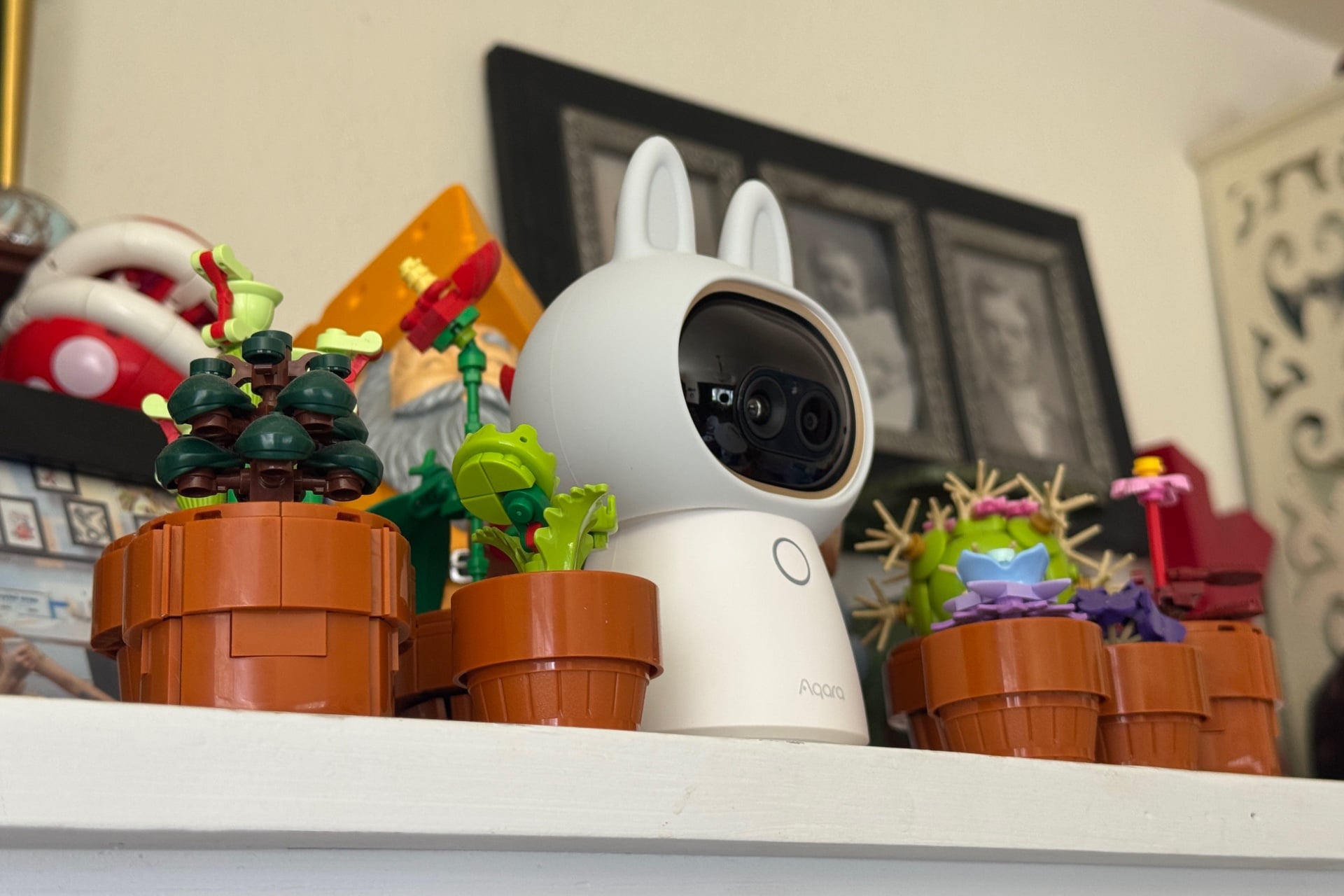
The Camera Hub G350 looks and functions much the same as the Camera Hub G3. Crucial differences include a separate zoom camera, higher resolution, and a wider 133-degree (versus 110-degree) viewing angle on its main lens. It has a Thread radio, which the G3 lacks.
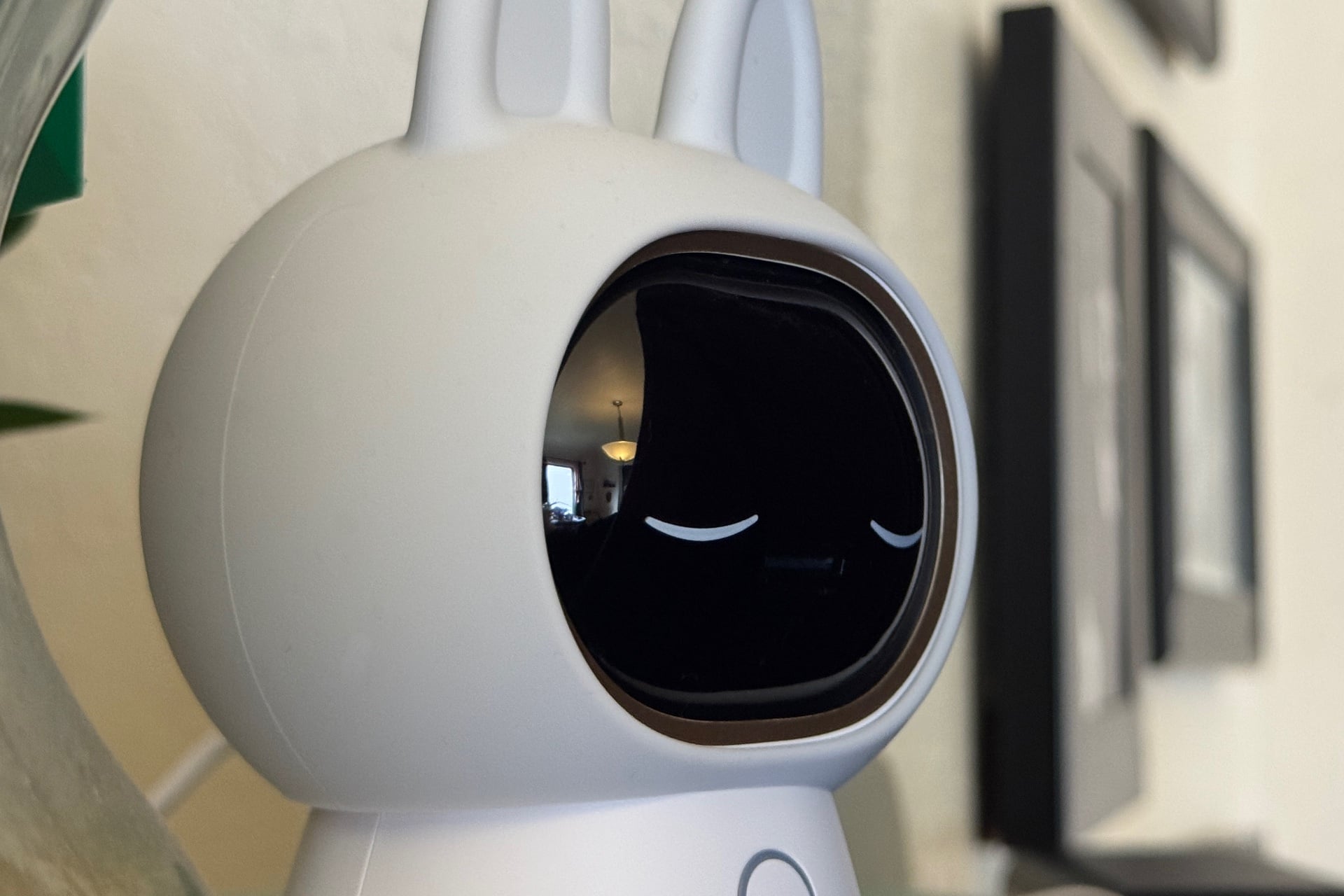
When the Camera Hub G350 pans—it covers a full 360-degree range—or tilts, it’s so quiet that I couldn’t hear it without my ear right next to it. Its camera module also functions as a physical privacy shutter, rolling the cameras back into the device’s “head” to reveal a pair of printed-on sleeping eyes. It’s a nice, easy way to tell whether the camera can actually see me, and it genuinely helps minimize the creep factor.
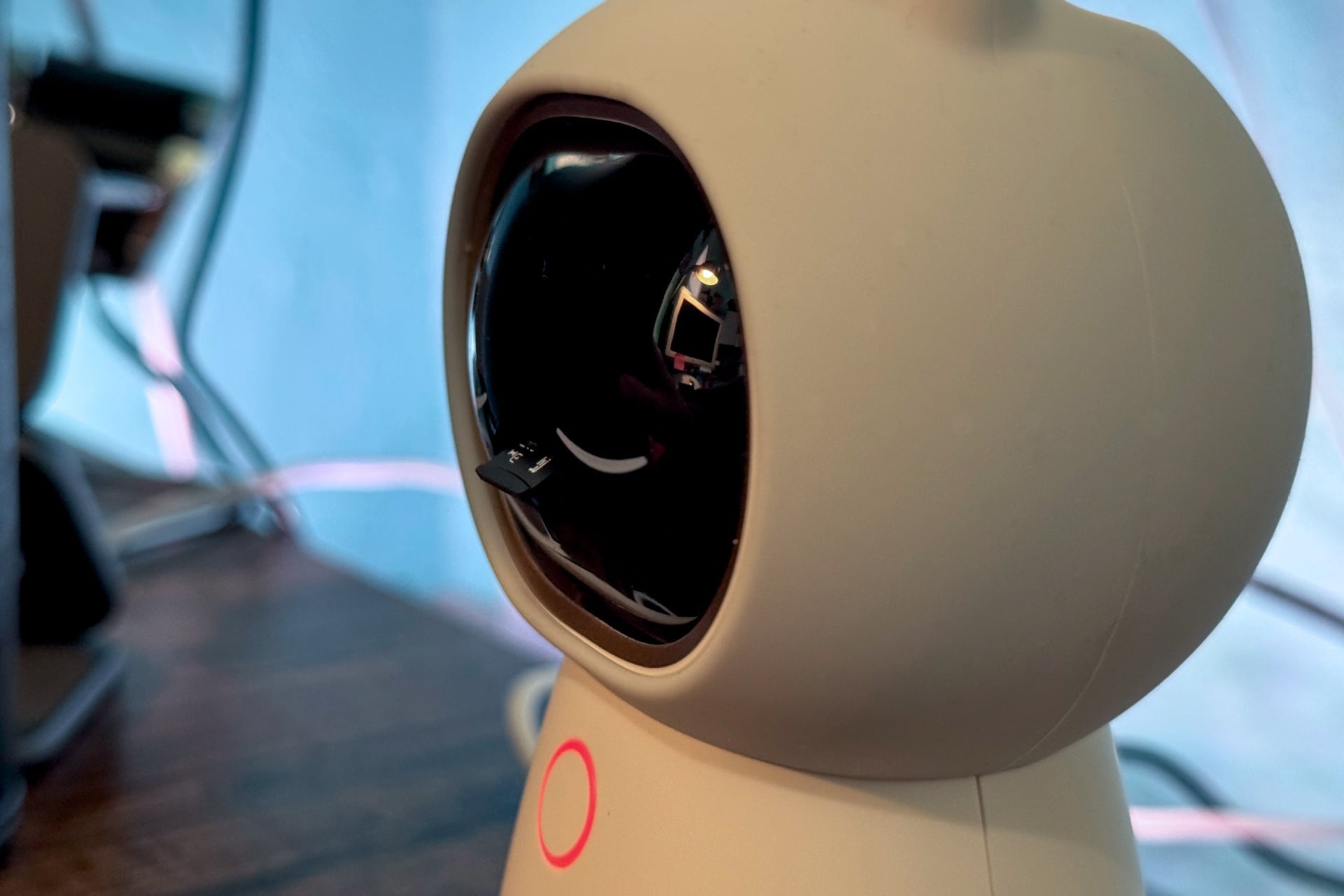
Rolling the cameras up also reveals a microSD card slot that supports cards up to 512GB (another upgrade from the G3, which only supports up to 128GB). It doesn’t come with a microSD card, so you’ll have to supply your own. A ring of color-changing LED lights on the Camera Hub G350’s body lets you know what state the camera is in—mainly, it’s either blue, signifying that the camera is on, or red, which tells you someone is actively watching the camera’s live feed in the Aqara app.
The bottom of the camera has a standard quarter-inch threaded screw hole, too, which lets you mount the Camera Hub G350 on a wall or even a ceiling; you can rotate the screen in the Aqara app to accommodate those orientations. The cable that comes with it is only about 5.5 feet, by my rough measurement, so you’ll probably need to buy a longer one if you’re mounting it higher up.
As for the Camera Hub G350’s security chops, I like how sharp the video is, at least when displaying the live feed or pulling recordings directly from a microSD card. Unfortunately, footage downloaded from the Aqara app, whether from the cloud or locally, is muddy and very low-resolution. Maybe that’s a bandwidth-saving measure, but it’s annoying to have to remove the card to get higher-quality video. On the plus side, its local storage support lets the camera work without an internet connection, swiveling and tilting as it tracks and records objects.
The Camera Hub G350 is a bit inconsistent in detecting and tracking people, sometimes twisting too far and requiring readjustment. That wasn’t necessarily a problem in my testing, as its field of view is wide enough that it rarely lost sight of me as I walked by. At other times, though, it detected a person but didn’t follow them. It was the same at night; the camera could pick me up, but even when moving slowly, I could easily get to the edge of its frame before it re-centered on me.
The camera uses infrared light to capture low-light video, and it produces a very crisp image with almost no ghosting or smearing. The only issue I had was when I placed it on my white dining table, so the table’s surface filled the bottom third or so of the video. The infrared light reflecting off the surface messed with the camera’s exposure, making the dark areas beyond it too dim to really make out. The G350 worked best higher up, where it could see more of the room.
See Aqara Camera Hub G350 at Amazon
A subscription helps but isn’t strictly necessary
In addition to animal and person tracking, the Camera Hub G350 also has a few AI-based features similar to those of other recent devices, such as the Google Nest Doorbell Cam or the Reolink Elite Foodlight Wi-Fi camera. That includes the ability to search your video history using natural language or AI-generated descriptions of events the camera has captured. Both of those features require a subscription, just like Google’s.
You’ll want at least Aqara’s $7 monthly (or $84 annually) single-camera HomeGuard subscription for other features, including 90 days of cloud video history and “fire detection.” (According to the Aqara app, fire detection uses AI to monitor your video feed for fire, which sounds neat, but as the app also notes, you shouldn’t rely on it alone.) The Camera Hub G350 also lacks package or vehicle detection without a subscription. In fairness, those are more useful for outdoor cameras, but they would be nice-to-haves for apartment dwellers without an outdoor option.
Aqara isn’t going out of its way to push users towards a subscription, thankfully. In addition to the onboard microSD slot, you can also use storage space on a PC or NAS connected to your local network.
The Camera Hub G350 can be set to record when it detects someone smiling in frame and to initiate automations when you gesture at it with one or two hands. The latter takes a bit of practice—it seemed to work best when I held my arm out to the side and away from my body—but once I got the hang of it, it worked reliably, flipping its LED light to green to let me know it had detected the gesture. Supported gestures include holding up two fingers or an “OK” gesture, as well as “dynamic” ones like holding up a palm and moving it left, right, or up.
Overall, I didn’t miss any of the subscription-locked features. AI-enabled search is nice, but as I found in my review of the Google Nest Cam Outdoor last year, it can also be frustratingly prone to misidentification. When given a natural language interface that makes it feel like you can ask anything, I find it more annoying when I run into the things a system can’t do. If I have to interact with an LLM, let me ask it if it saw me leave my phone anywhere.
Robust app control
In the Aqara app, you’ll see a live view from the Camera Hub G350 with overlays at the top, like the current resolution, a mute/unmute toggle, a picture-in-picture button that lets you keep the camera view up while using the rest of the Aqara app, and a full-screen option. Below are zoom controls and a button that lets you quickly tap on the video feed to recenter the device. On this screen, you can also put the camera in privacy mode, take a snapshot, manually record video, initiate a conversation, or pause the live view. Underneath are controls for manually panning/tilting the camera, calibrating pan and tilt, viewing recordings, and choosing preset angles.
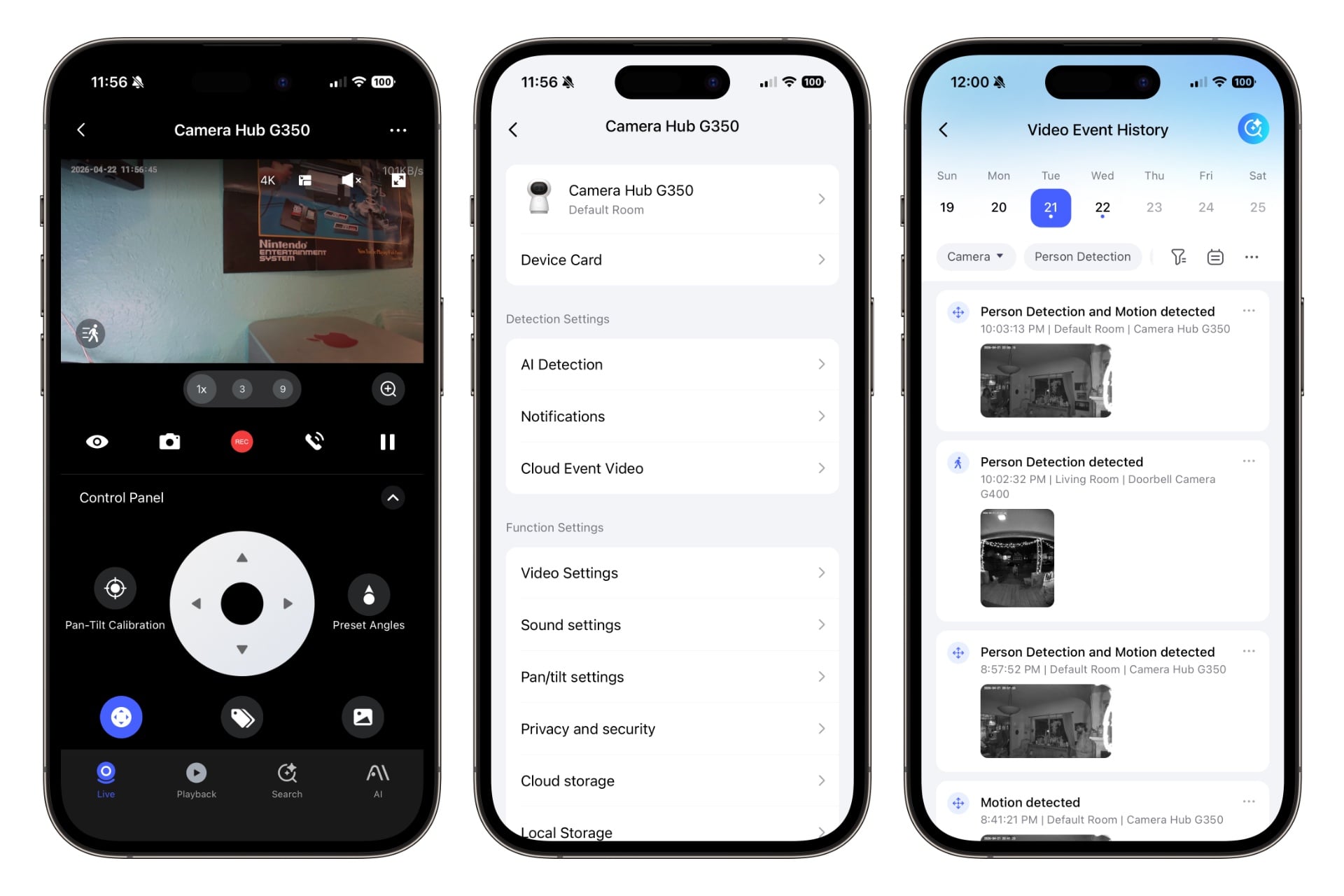
I like the app’s interface for viewing recorded events, which features an obvious scrubber at the top listing the current week’s dates—you can swipe in either direction to move backward or forward in time—and a set of filter options just below for things like looking at footage from only one of your cameras (it collects all of them here, if you have more than one Aqara camera) or specific categories of event, like those capturing people or pets. The text above each video thumbnail makes it easy to tell which camera captured the event, what prompted the recording, or what time it was captured. It’s all very intuitive.
There’s an alternative recording view nestled in the controls area at the very bottom of the Camera Hub G350’s home screen in the Aqara app when you tap “Playback.” Here, instead of a scrolling list of thumbnails, you get a vertical timeline with colored blobs indicating when and what kind of event the camera detected. If you have time-lapse recording turned on, it’ll show snapshots between events, too, which is a nice touch I haven’t seen in a camera app before.
Although the G350 won’t work with most other ecosystems as a Matter PTZ camera, it still integrates directly with platforms like Google Home, Amazon Alexa, Apple Home, and even Home Assistant. I tested it with Apple Home and was able to see video recordings, use the camera’s motion sensor to trigger automations, and talk through the camera using the Camera Hub G350’s built-in microphone and speakers. But I couldn’t tilt or pan the camera. Presumably, that will come when Apple finally implements Matter 1.5 support. Still, the video loaded quickly and looked sharp, and the camera works with HomeKit Secure Video, a feature of iCloud+ that gives you 10 days of cloud storage. HKSV also adds package and vehicle detection.
Worth it if you want an indoor camera and need an Aqara Matter hub
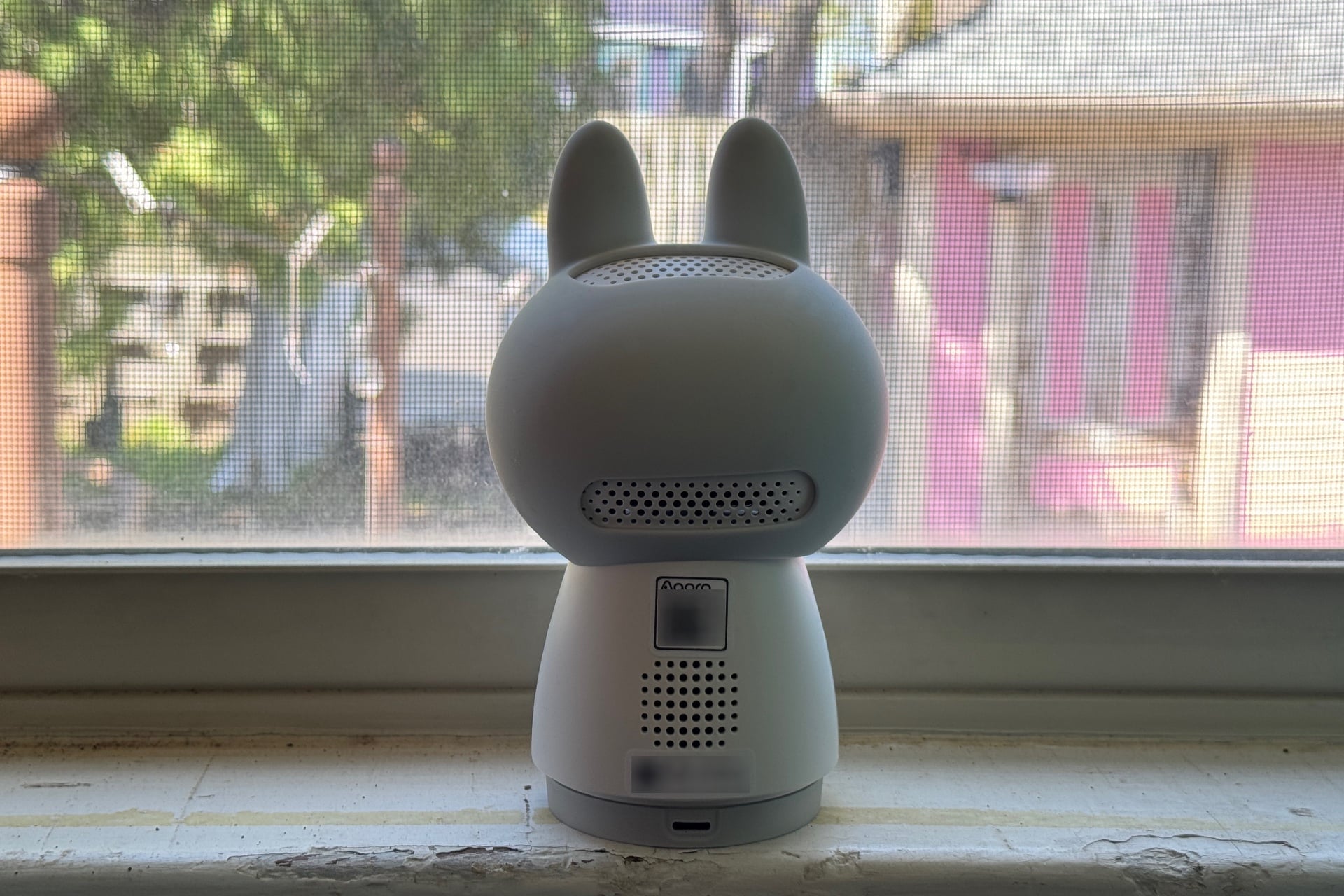
If you want a camera inside your house, you could do far worse than the $160 Aqara Camera Hub G350. It goes toe-to-toe with slightly cheaper competing devices like the $140 Eufy Indoor Cam S350, but that extra $20 also nets you access to the vast catalog of Aqara smart home devices that range from cameras like the G350 to the company’s excellent collection of low-power, long-lasting Zigbee devices like its Water Leak Sensor. This makes the camera quite a proposition.
Although I’m generally opposed to always-on cameras inside my home, the Camera Hub G350 has me tempted to set aside my grievances, thanks to its physical privacy shutter, local storage options, and subscription-free features. It doesn’t even need to be connected to the internet to function, as long as you don’t mind physically removing its microSD card every now and then. So long as Aqara keeps up this local-friendly posture (which is never a sure thing in today’s tech world), the G350 is an easy recommendation. Sure, it sometimes feels strange to have a little bunny guy silently watching, but it does help to know it’s not necessarily talking to some distant server while doing so.
Then there’s the Camera Hub G350’s Matter hub capability, which makes it a solid upgrade for anyone already plugged into the Aqara ecosystem. If you want to use your device in full PTZ mode on another smart home platform, it might be worth waiting for Matter 1.5 to roll out your ecosystem of choice. But that’s not a knock against Aqara; the company is just a touch early to the Matter camera game.

