


Google’s first smart speaker in six years is finally here, and with its launch, the company is ushering in a new era of shouting at an inanimate object to turn your lights on and off. Wave goodbye to Google Assistant; this is the age of Gemini for Home.
The new Google Home Speaker, which retails for $100, is less about the bright new colors, audio upgrades, and fancy new ring lighting, and more about how all of those things wave the flag for Gemini, Google’s new North Star, and all of the smart home improvements the AI chatbot promises to usher in.
In this generation of smart speaker, Google is pitching something that’s smoother, smarter, and more human than anything it’s released before. It’s a tall order for a short speaker, but given the state of voice assistant progress over the past decade (or lack thereof), it’s a welcome proposition on paper.
“On paper” isn’t where progress takes place, though, and unfortunately, neither is the Google Home Speaker, lots of the time.
Google Home Speaker
The Google Home Speaker looks great and sounds decent, but Gemini for Home doesn’t feel revolutionary quite yet.
- Love the new look, especially the new colors
- Snappier in processing commands
- Light ring is useful and fun
- Gemini for Home doesn’t feel super smart
- Hardwired cable is limiting
- Sound is just okay
Berry charming on the surface
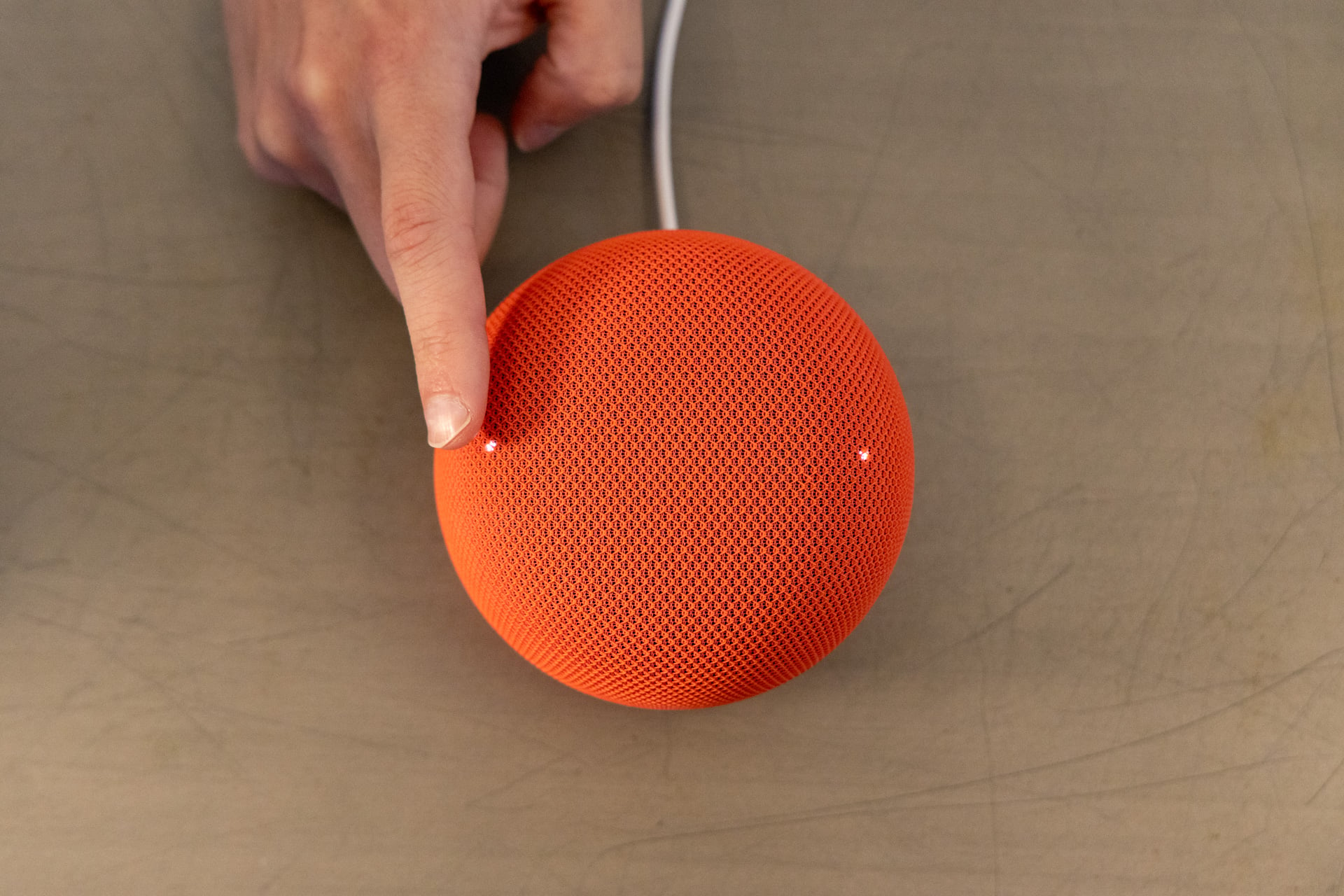
Though I have complaints about the experience of using the Google Home Speaker, almost none of them are about the hardware itself. Let me just start by saying it looks great. I love the new berry (red) color as well as the new jade (green). Props to Google’s design team for making a speaker that I genuinely want to put in my home for aesthetic purposes.
I also like the new lighting flourishes—a light ring on the bottom of the speaker that glows in different colors depending on what you’re doing. Purple is for when you’re chatting with Gemini Live, white is for regular voice commands, and a yellowish glow appears when your mic is disabled with the switch. It’s nice to look at, but also functional, in that you know when Gemini is listening or if your session has ended. Like previous Google speakers, there are tap controls on top that work fine—you can use them to activate Gemini for Home or adjust volume, for example. There’s also a new mesh 3D-knit cover, which feels interesting to the touch. Honestly, not my favorite tactile experience, but you’re probably not going to be touching your speaker a lot anyway.

One thing I do not love in terms of hardware is that the cable is hardwired this time around. Unlike previous generations of Google smart speakers, including the Nest Audio, you cannot remove the cable from the speaker itself, meaning you’re stuck with what Google gives you. In the event that something happens to the cable, or if you want to extend the reach, you’re kind of SOL. It’s not a great choice for consumers or for the environment. Though, to be fair, Apple’s HomePods also have hardwired cables.
As nice as the speaker looks, the audio is a little less flashy. Don’t get me wrong, for its size, the Google Home Speaker does a decent job with audio playback, but I wouldn’t count on it displacing the setup of anyone who’s already invested in Bluetooth speakers like the Sonos Play, Bose’s Lifestyle Ultra Speaker, or a beefier smart speaker like Amazon’s Echo Studio. The sound quality is definitely an improvement on the Google Nest Mini that I’ve been using since 2019, but if I’m being honest, that’s not saying a whole lot.

The Google Home Speaker performs better with more low-key songs like Squarepusher’s “Andrei,” a noodling acoustic guitar track. On rock songs like Feeble Little Horse’s “Rewind,” though, things get a bit muddy at higher volumes, with mids and lows mushing together. If you’re really committed to using the smart speaker as your main audio source, you can pair two of them together for stereo sound. This option sounds pretty decent, widening the soundstage and filling out my living room a bit more, but it’s not a marked improvement on the sound quality overall, and it doesn’t catapult the Google Home Speaker into a must-have home audio device. You can also couple a stereo pair to a Google TV Streamer to listen to movies and other media through your TV, though I didn’t have one on-hand to test that feature.
It’s to be expected that the audio from the Google Home Speaker wouldn’t compete with more premium devices like offerings from Sonos, Bose, and Amazon, since all of those are around $300, but it also pales in comparison to ultra-portable Bluetooth speakers like JBL’s Grip, which is tiny, versatile, and only costs $65 compared to the Google Home Speaker’s $100 price tag. The fact is, this is not a speaker; it’s a smart speaker that you can play music on sometimes. If you’re looking for an audio device, buy a dedicated speaker. If you’re looking for smarts, well… keep reading.
Home is where the frustration is

Gemini for Home is really the highlight of this generation of Google smart speaker. The Google Home Speaker is specially designed to run Gemini for Home, and that fine-tuning is palpable. Responses to queries are snappy, both in terms of processing and in microphone pickup. I rarely had to repeat myself, and the smart speaker heard my wake words almost all of the time. I also don’t have to wait nearly as long for a response as when I query my old Google Nest Mini.
The issue isn’t whether the Google Home Speaker has the horsepower, necessarily, though, it’s whether it has the brains, and on that front, there’s still work to be done. Gemini for Home is full of quirks. Take “Gemini Live,” for example, a new mode that uses the full power of Gemini to have live conversations—as opposed to the regular Gemini for Home voice assistant that only has a dash of Gemini sprinkled in. To activate Gemini Live, you can say “let’s chat live” or “let’s have a conversation,” and it allows you to have a back-and-forth, real-time conversation about a topic of your choosing. This feature, I should note, is actually paywalled for $10 a month.
See More

