


It seems like every pair of wireless earbuds has loftier ambitions nowadays. Apple’s AirPods Pro 3 are vehicles for real-time translation and heart rate monitoring; Nothing has integrated ChatGPT into its buds; researchers (and also potentially Apple) are working on cramming cameras inside wireless earbuds, which, needless to say, would open the door to quite a few features that we’ve never seen before.
As it turns out, Soundcore, a sub-brand of Anker, is also clearly very interested in elevating the form factor. Its newest pair of wireless earbuds, the $229 Liberty 5 Pro Max, is built from the ground up to do more than buds of yore. Like… a lot more.
Soundcore Liberty 5 Pro Max
Feature-rich wireless earbuds with transcription, translation, and screen-clad charging case that all work fairly well.
- Ridiculously good ANC
- Equally as good ENC for quiet calls
- Transcription works well
- Convenient screen
- Almost too many features to sort through
- Translation works well, but not better than an app
- Sound is good but not great
- Highlight features might be niche for some
Another Pro Max enters the chat
The Liberty 5 Pro Max—Soundcore joins Dell and Xiaomi in copying the iPhone’s Pro Max moniker—have a lot more going on than your typical pair of wireless earbuds. In addition to audio playback, the Liberty 5 Pro Max promise a few other features, including AI transcription and translation. Before I get into those, there’s something else worth addressing that you don’t see every day: a case with a screen.
Undoubtedly, the charging case with a 1.78-inch AMOLED display will be the first thing most people notice about the Liberty 5 Pro Max. I’ve tried other transcription earbuds with screens on them in the past and found them to be mostly frivolous and lacking, but I like the Liberty 5 Pro Max’s screen. It’s bright, smooth, and appropriately sensitive to touch inputs.
Swiping (which you can do in four directions) feels mostly refined and intuitive, and allows you access to all sorts of features inside the buds, including translation, transcription, noise cancellation modes, EQ, device connectivity, and settings. There’s also a battery readout and a menu that shows you what audio is playing. There were some failed inputs from time to time, though I don’t know if they rose to the level of aggravating. The swipe up to access the features menu could be smoother.
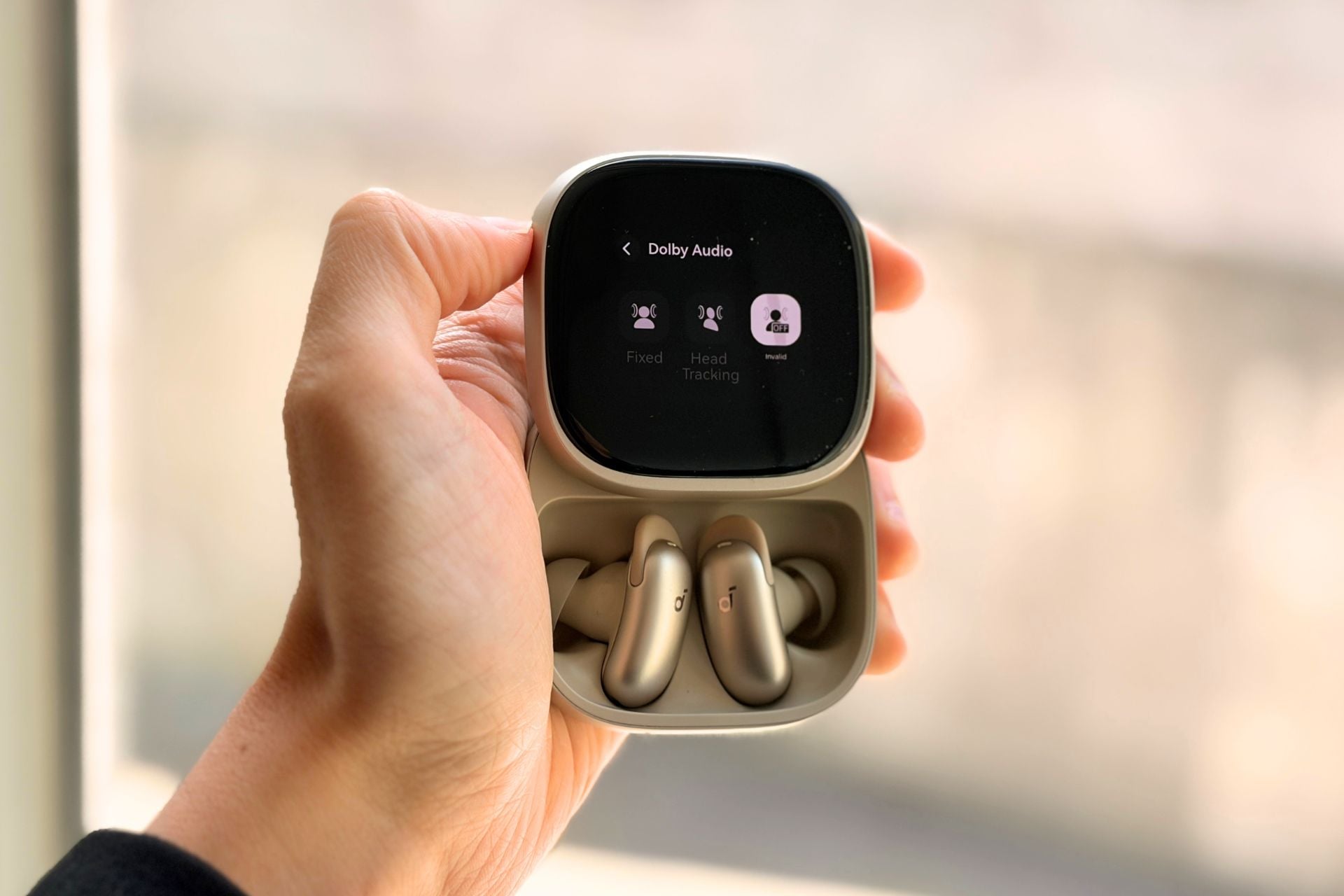
There’s an option to turn the case into a shutter button with a remote camera feature, which is interesting. You launch your camera app and then press the button on the charging case’s screen to take a picture. Most people will probably just opt for the timer on their phone, but I guess it’s an novel idea. There’s a slight delay, but it does work.
What’s extra nice about having a screen with so much functionality is that you don’t have to go into your phone and pull open an app to control your wireless earbuds. Yes, you still have to grab a device and navigate menus, but it feels like less of a liability than getting sucked into the vortex of apps, notifications, and other BS your phone offers. I will say that the case is fairly large, though, so if you’re not the type of person who can deal with a little more heft in your pocket, these aren’t the wireless earbuds for you.
Still, the case makes the Liberty 5 Pro Max feel like a distinct kind of device, which is apt since there is quite a bit you can do beyond listening to your favorite podcast.
More than meets the eye
As I mentioned, there are two banner features inside the Liberty 5 Pro Max: transcription and translation. To activate transcription on the buds, you have a couple of options, but the easiest is to just double-tap the back button on the case’s rear, which then uses its built-in mics to listen in. You can also navigate to the feature through the case’s screen if you like doing things the long way.
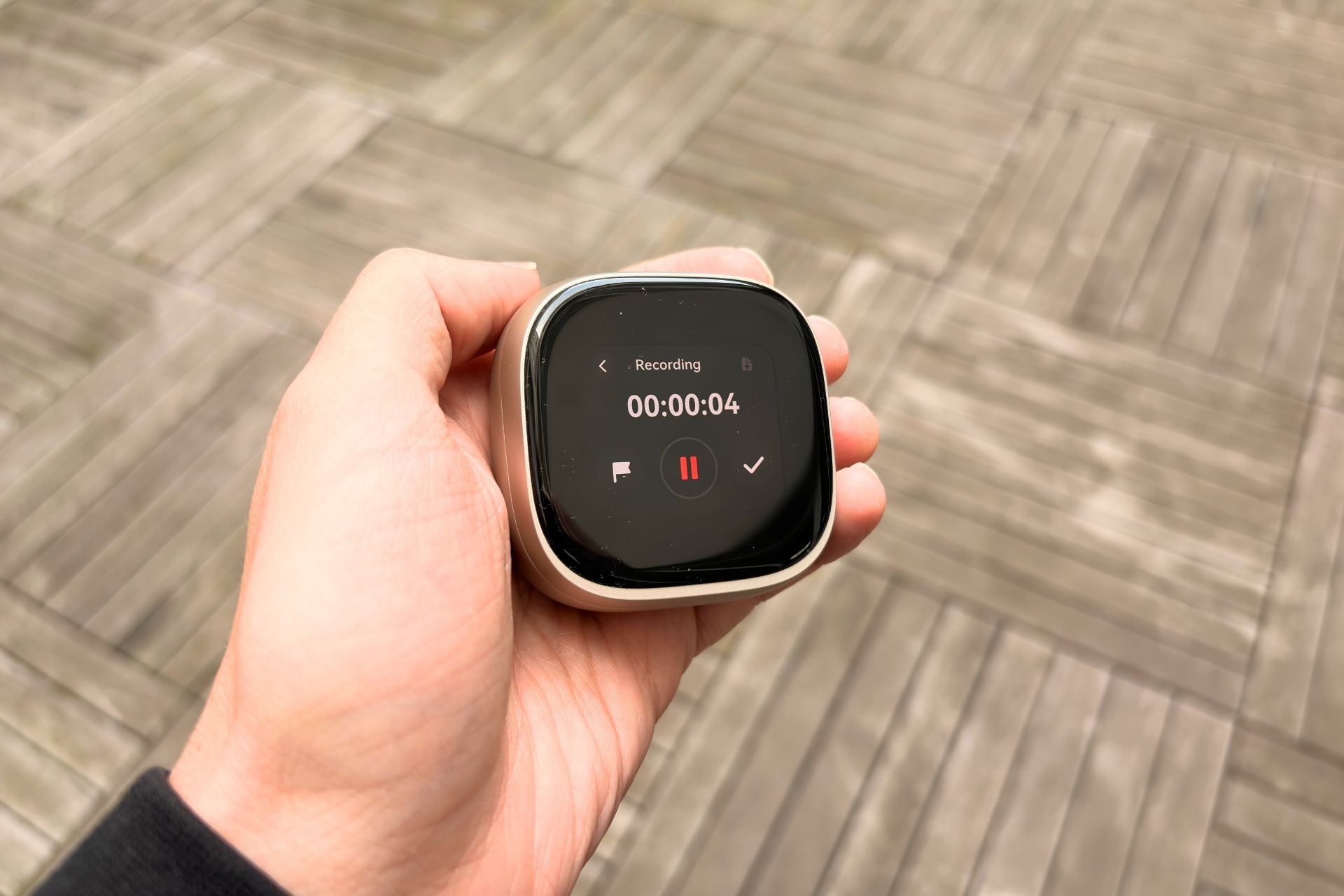
Once activated, you’ll see a simple UI on the front of the charging case with a pause button, the recording duration, a checkmark button to end the recording, and (my favorite) a flag button for bookmarking important parts of the audio file.
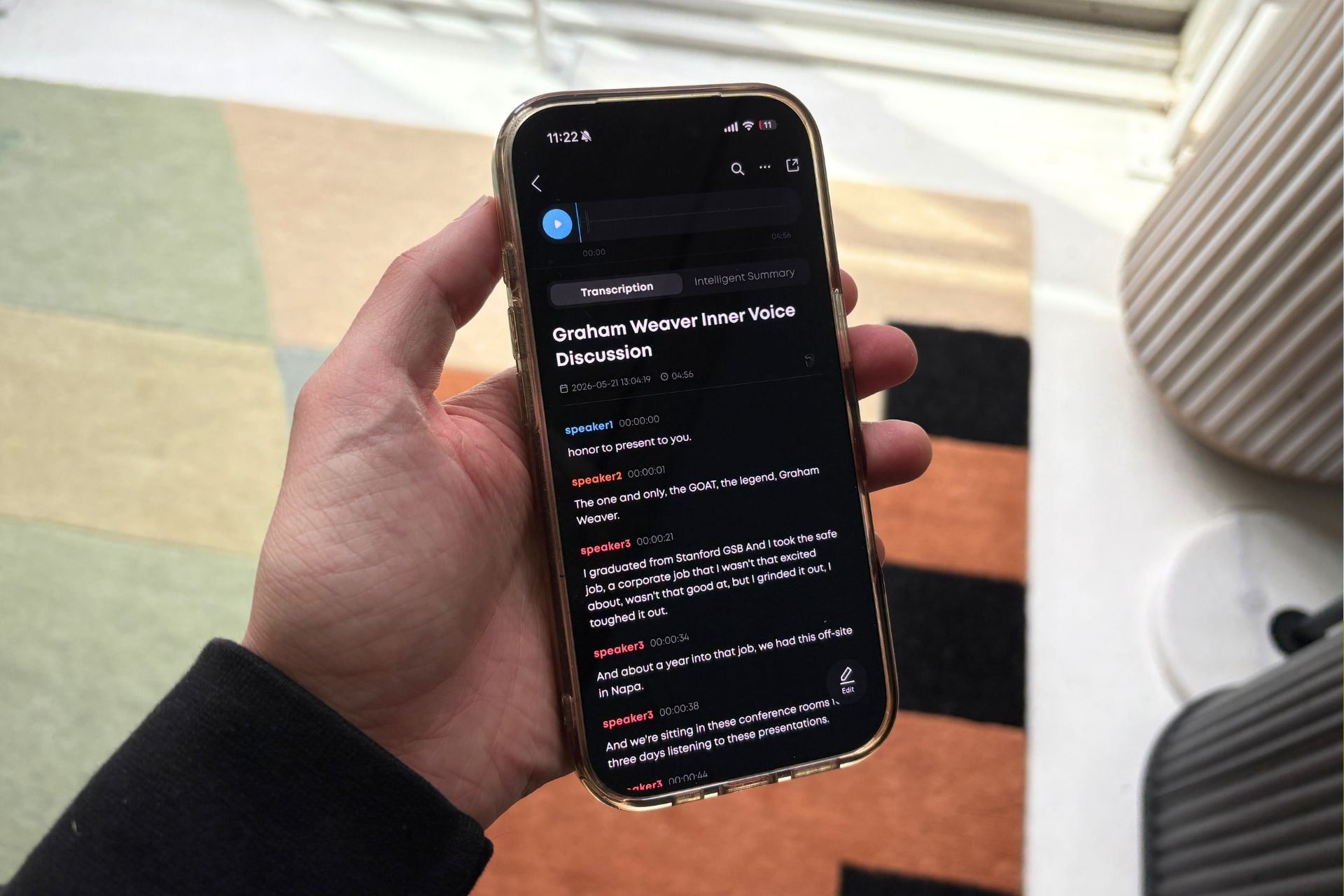
The result is pretty great. I recorded part of a lecture playing on YouTube as well as short conversations in real life, and both were captured and transcribed with a high degree of accuracy. I like that you can listen back to audio on the Soundcore app, and then it breaks each phrase into small chunks so they’re easy to digest. There’s also an “intelligent summary” that works for overviews of what the transcribed audio contains, though it does take a little bit to generate.
If I were doing an interview, I wouldn’t hesitate to use the Liberty 5 Pro Max for transcription, though I’m not sure that everyone will find the features useful. If you’re in meetings often, and you want to remember what you discussed, it could really come in handy. Or maybe if you’re a student who needs to parse lectures? Whatever your reason for recording and transcribing things is, the Liberty 5 Pro Max are a good way to do so.
Translation is also pretty seamless, though with some caveats. While other wireless earbuds with translation features rely on a phone in addition to the buds themselves, Soundcore incorporates its case. That means you can use the case as a microphone for someone to speak into and also use it to play the translated words you’ve said out loud. You speak into your phone with the Soundcore app activated, and then the case plays your translated phrase out loud. Whoever is holding the case can then press the microphone button on the front, and the translated phrase will either play on your phone or in your earbuds if you have them connected.
There are a few quirks with this method: one is that it’s not real-time technically; you have to press a button, say a phrase, and then wait for the translation to occur. It also means you have to hope that you’re in a low-ish volume situation where someone can hear the case audio, though I will say it plays fairly loud (and is adjustable via the case’s screen). I suppose if someone needed to, they could hold the case up to their ear, also, though that’s not ideal.
I tested the translation feature by speaking to my partner, who is bilingual (Spanish and English), and having her hold the case. The translation process isn’t lightning fast, but it’s quick enough, and it was fairly accurate. Having to press a button made things a little stilted—sometimes the microphone would activate a hair too late, and it would miss some words. It’s also imperative that you speak quickly because the microphone has a habit of turning off prematurely when you take a pause between words.
Still, it was mostly functional, even if I don’t think it was leaps and bounds better than using Google Translate or other purely phone-based translation methods.

Currently, there are dozens of different language types and varieties in the app, including English, French, Spanish, Japanese, German, Italian, Korean, Chinese, and Indonesian, as well as several variations of Arabic. There are also two different modes for translation: one is two-way, which I mentioned above, and the other is real-time/one-way, meaning it doesn’t translate your speech; it just translates a speaker as they say words and then transmits to your earbuds. This is a mode that I also tested by having my partner speak in Spanish, and it worked fairly well, though you do have to wait a beat for the translation to occur, so take “real-time” here with a grain of salt.
Overall, I was more impressed with transcription than I was with translation, but both are solid executions of features that could be useful to some people, though not everyone. Worth noting: both transcription and translation appear to rely on the cloud for processing; neither worked when I disconnected my phone’s internet connection. I’ve reached out to Soundcore to confirm whether or not there is a subscription for transcribing and translation audio and will update this review when I receive a response.
Should you put money down for Pro Max?
There’s a lot going on in the Liberty 5 Pro Max, which is overwhelming, but a lot of it is good stuff. The ANC is incredible, as is the ENC for calling. The transcription works well, though it is maybe only for business people and students. The translation is solid, though maybe not more compelling than the AirPods Pro 3 or even just regular Google Translate.
The sound, to me, doesn’t excel to the level of greatness, which is a bit of a bummer considering these are still wireless earbuds, but it’s good nonetheless, and if you’re not a pure audiophile, that might not matter as much.
There’s a lot to like in the Liberty 5 Pro Max, and for an ambitious pair of wireless earbuds, I’m surprised by how many marks they hit. If ANC and calling are high on your list of priorities and you feel like you’d use transcription, the Liberty 5 Pro Max feel like an easy choice, even if that type of listener feels more niche than your average.
See More

