


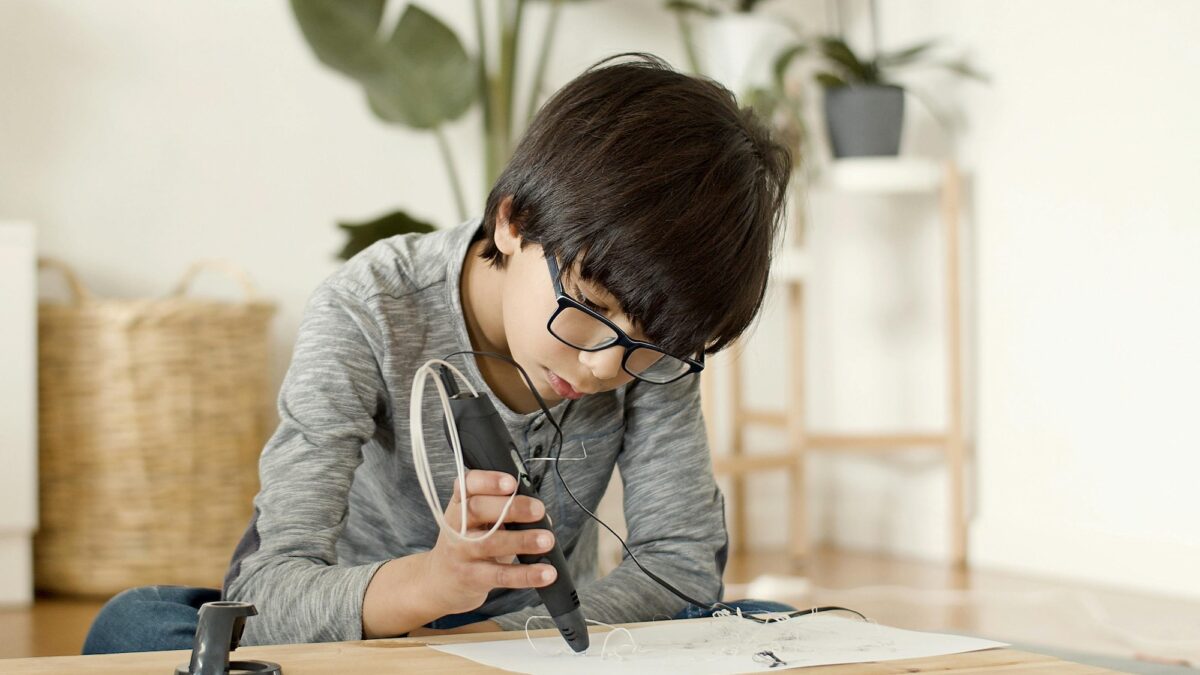
My kids take a Makerspace class at school. They come home with pockets full of 3D-printed treasures: keychains, figurines, and even custom yoyos! So, when they asked for a 3D pen of their own, I figured it was an easy win. After having seen dozens
of these gadgets over the years, I thought, “Why not?” However, I quickly saw that I wasn’t prepared for the technical safety considerations or the confusing world of filament types. Yep, in the debate between PCL vs. PLA 3D pens, which should a parent choose?
In other words, should you prioritize a low-temperature burn-free pen with limited abilities, or a high-performance one with endless creative options but reaches 400°F? As parents, we shouldn’t have to choose between safety and creativity, but when it comes the 3D pens currently available, you do. To help you navigate the high-heat vs. kid-friendly debate, I’ve put together this guide to help you pick the right tool for your child’s age and skill level.
The Technical Difference Between PCL vs. PLA 3D Pen Hardware
At the heart of the PCL vs. PLA 3D pen debate is the Glass Transition Temperature concept. This is the point at which a hard, glass-like plastic becomes a soft, pliable material that can flow though a nozzle.
The aforementioned plastics come into conflict because they are on opposite ends of the thermal spectrum:
- PCL (Polycaprolactone): A biodegradable polyester with a low melting point of 58°C to 60°C (136° to 140°F). Because it softens so easily, the pen’s nozzle only needs to reach about 40°C—about the temperature of a warm bath—so it’s super kid friendly.
- PLA (Polylactic Acid): The industry standard for 3D printing. It requires a nozzle temperature of 180° C to 210°C (356°F to 410°F) to flow properly. It’s extreme heat, but that’s what gives PLA its snap-set quality—kids can draw vertical structures in mid-air.
Temperature Constraints: Why You Can’t Use PLA in a Low-Temp Pen
Unfortunately, you can’t turn down the heat on a PLA pen to make it safe for a young child. If the nozzle isn’t hot enough, the PLA won’t melt, and the internal motor will jam. Conversely, PCL is too soft for use in a high-heat pen; it would liquefy and leak out of the device. So, you hit what I call a hardware wall—manufacturers must build a pen specifically for the low-heat safety of PCL or the high-heat flexibility with PLA. There’s no real in-between here.
But that’s not all. According to a study in the Journal of Occupational and Environmental Hygiene, the higher temperatures needed for PLA also increase Ultrafine Particles (UFPs) emissions in the work area. So you have to consider air quality and ventilation as well, if you buy a PLA pen—airborne plastic particles could end up in the lungs.
Filament Limitations: Comparing PCL Softness to PLA Versatility
On the other hand, PCL is almost always available with basic colors only and stays slightly bendy even when cured. So if your child wants to use fancy filaments—like glow-in-the-dark, wood-infused, or metallic-finish plastics—those require PLA or ABS and their higher melting points
When to Prioritize Temperature Safety: Choosing a PCL 3D Pen for Young Children
If your child is between 4 and 8 years old, you want to prioritize temperature safety. At those ages, kids are still developing fine motor skills, and might try to play with their crafts before they’ve fully cooled. Here’s why PCL pens are a better choice for this age group:
- Touch-Safe Nozzles: For this age group, the risk of a second-degree burn from a 400°F nozzle is high. PCL pens like the 3Doodler Start+ have hidden heating elements and “cool-to-the-touch” tips.
- Safety Standards: These pens are often specifically tested against ASTM F963-17 (The Standard Consumer Safety Specification for Toy Safety), which regulates thermal energy in children’s products.
- Forgiving Material: PCL stays soft for about 30–60 seconds after extrusion, meaning a child can actually mold the plastic with their fingers to fix mistakes—something impossible with scalding-hot PLA. Product
Recommendation: The 3Doodler Start+ or myFirst 3dPen Dolphin. These 3D pens prioritize safety over everything else.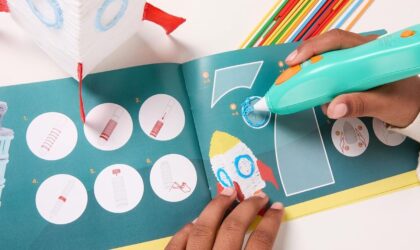
3Doodler Start+
If you’re like me and the thought of your kid wielding a 400°F heat-wand makes your anxiety spike, the 3Doodler Start+ is the Grip Socks of 3D pens. It’s marketed as the only truly child-safe 3D pen. Kids can touch the nozzle and the plastic while extruding—with zero burns. It’s all about that PCL. The new plus version is slimmer (perfect for smaller hands that get tired easily), charges 50% faster, and comes with a safety stand-by mode for when they inevitably get distracted by a snack. My favorite part? The kit is actually a “kit.” You get 72 strands of filament and a DoodlePad
myFirst
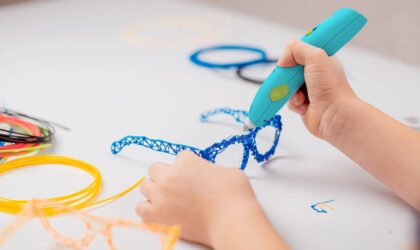
myFirst 3dPen for Kids
Cords can be tripping hazards waiting to happen. That’s why the myFirst 3dPen Make caught my eye. It’s completely rechargeable. They can take their masterpieces from the kitchen table to the living room rug without being tethered to a wall outlet. Like the 3Doodler, this one uses PCL filament, so the tip stays safe to the touch. It’s super intuitive—just one of those pick up and play gadgets that doesn’t require a 20-minute YouTube tutorial to figure out. The starter kit comes with nine different colors and a booklet of templates, which is great for building that creative confidence”before they start free-handing.
When to Prioritize Performance: Choosing a PLA 3D Pen for Older Kids (Ages 10+)
If your child is 10 to 12+ years old, has a steady hand, and is into actual hobbyist art, a PLA 3d pen makes sense. While safety is the baseline for younger kids, an older child will eventually hit a creative ceiling with low-temp pens.
And this is where filament variety becomes more important. If your child wants to build a bridge that holds weight or a functional phone stand, the softness of PCL just won’t cut it. Here are reasons to buy a PLA 3D pen:
- Structural Rigidity: Because PLA has a higher glass transition temperature and a faster cooling snap-set, older kids can draw vertical structures in mid-air with much more stability. According to technical specs from MatterHackers, PLA’s tensile strength is significantly higher than PCL, making it the pro choice for functional art.
- The Cool Factor: High-temp pens unlock a world of specialty filaments. We’re talking translucent colors, silk finishes, and even wood-infused textures. For a pre-teen, PCL’s limited colors might feel a bit babyish.
- Precision Control: Pro-level, high-temp pens often feature OLED displays and adjustable speed/temperature toggles. This lets your child fine-tune the flow for intricate details that a one-speed pen simply can’t handle.
Recommendation: MYNT3D Professional Printing 3D Pen. It’s the gold standard for older kids who want total control over their filament and speed. Just remember, it hits 210°C (410°F), so supervision is a must.
MYNT
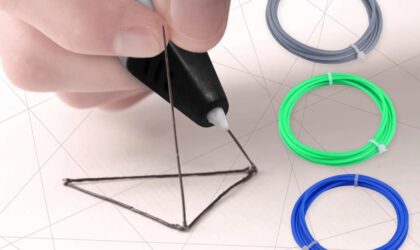
MYNT3D Pro 3D Pen + DesignPad Kit
If your kid is ready to level up to actual 3D engineering, the MYNT3D Pro Kit is the real deal. This isn’t a toy; it’s a true creator tool. It features stepless speed control—which means you can slide the speed perfectly to match your hand movement. Plus, the discrete temperature adjustment lets your child toggle the heat to handle almost any high-temp filament on the market. What I love that this starter bundle is practically a command center. You get 10 colors of high-quality PLA (including gold and tan) and the DesignPad. It’s a double-sided silicone mat with channels that help you create perfect geometric shapes. If your kid is frustrated because their “straight lines” look like cooked spaghetti, this mat is a game-changer.
3Doodler
3Doodler Flow 3D Printing Pen
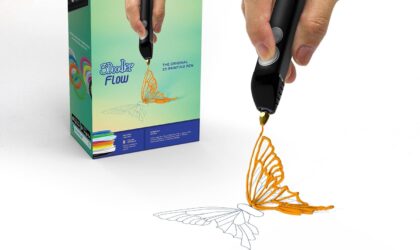
Coming from the brand that basically invented the 3D pen, the Flow is built for older kids and teachers who want zero technical drama. It’s super user-friendly—no complicated setup or software. You just plug it in, wait for it to heat up, and start creating. It even has an integrated LCD screen so you can keep an eye on the temperature in real-time, ensuring your 3D masterpieces come out smooth every time. What really sets the Flow apart is its “do-it-all” compatibility. It works with standard 1.75mm filaments like PLA, ABS, and even wood-infused plastic, giving your teen total creative freedom. The kit comes with 80 feet of plastic in eight different colors and a massive activity guide to jumpstart their ideas. It’s also surprisingly light and compact, making it the perfect tool for school STEM projects, fixing a broken toy, or making custom room decor.
Coming from the brand that basically invented the 3D pen, the Flow suits older kids and teachers. It’s super user-friendly—no complicated setup or software. You just plug it in, wait for it to heat up, and start creating. It even has an integrated LCD screen. That way, you can keep an eye on the temperature in real-time.
What really sets the Flow apart is its “do-it-all” compatibility. It works with standard 1.75mm filaments like PLA, ABS, and even wood-infused plastic, giving your teen total creative freedom. The kit comes with 80 feet of plastic in eight different colors and a massive activity guide.
The Verdict: Is a PCL or PLA 3D Pen Better for Your Family?
Choosing between temperature safety and filament variety is really a question of your child’s developmental stage. If you focus on safety for preteens, your child my get bored by the limited materials. But if you prioritize craftsmanship too early, you risk dangerous burns.
Guide for Parents:
If your child 9 years old or younger, or you want a zero-supervision toy, go for temperature safety and choose a PCL-based pen like the 3Doodler Start+.
If your child is 10+ and wants to build durable, pro-looking models with different textures and finishes, invest in a high-temp PLA pen with adjustable settings. Adult supervision required.
Final Expert Tip: Regardless of which pen you choose, always ensure the room has plenty of ventilation. Even safe plastics can emit ultra-fine particles when heated that can enter your child’s lungs.
Lauren has been writing and editing since 2008. She loves working with text and helping writers find their voice. When she’s not typing away at her computer, she cooks and travels with her husband and two kids.

